
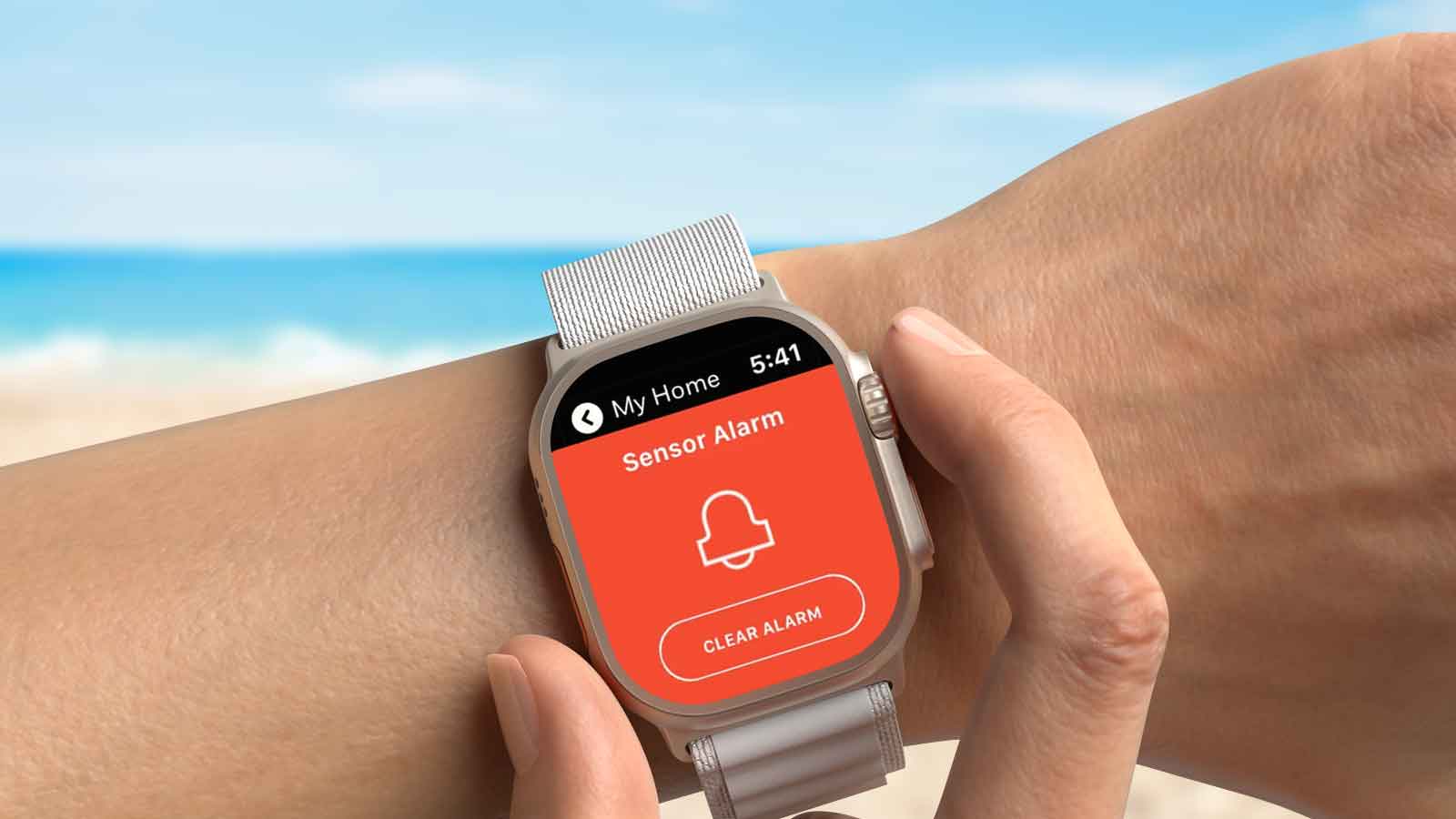
For homeowners exploring smart home security in Miami, convenience and control go hand in hand. Modern systems let you check your alarm and manage compatible devices from your smartphone, helping you stay connected to your home whether you’re across town or across the country.
You’re heading to work, spending the afternoon at Miami Beach, or boarding a flight for vacation when a familiar question comes to mind: Did I set the alarm? Is the front door locked?
With Total Connect 2.0, the answer is within reach. You can check your system, arm your alarm, and control compatible smart locks directly from your smartphone, so you can get on with your day with greater confidence.
By connecting your security system and compatible smart home devices in one app, Total Connect 2.0 makes it easier to monitor activity, manage access, and respond when something needs your attention.
How does it work, which features can you use, and is it the right fit for your Miami home?
In this guide, we’ll explore its capabilities, everyday benefits, and what you need to get started.
Content:
- What Is Total Connect 2.0?
- How Does Total Connect 2.0 Work?
- 7 Total Connect 2.0 Features That Make Miami Homes Smarter
- Why Smart Home Security Matters in Miami
- How Total Connect 2.0 Fits Into Your Daily Routine
- Total Connect 2.0 vs. Traditional Home Security Systems
- What Do You Need to Use Total Connect 2.0?
- Is Total Connect 2.0 Secure?
- Don’t Leave Your Home Security to Guesswork. Let’s Talk.
- FAQ
What Is Total Connect 2.0?
Total Connect 2.0 is a smart home security and automation platform from Resideo that allows homeowners to remotely control compatible Honeywell Home and Resideo security systems using a smartphone, tablet, or web browser.
From one app, you can arm or disarm your alarm, receive security notifications, view compatible cameras, and manage connected devices such as smart locks, lighting, thermostats, and garage doors.
Having these controls in one place makes it easier to stay informed and take action when needed, whether you’re checking on your property or adjusting the temperature before you arrive.
For Miami homeowners, that convenience fits into everyday life. You can check that your alarm is armed while shopping in Coral Gables, review a camera notification at your office in Brickell, or unlock a compatible smart lock for a trusted visitor while you’re away.
The features available depend on your security panel, connected equipment, and service subscription.
How Does Total Connect 2.0 Work?
Total Connect 2.0 connects your compatible home security system to a secure remote-services platform, allowing you to communicate with supported equipment through its mobile app or website.
Here’s how the system works in everyday use.
1. Your Home Security System Detects Activity
Your professionally installed security system uses devices such as door and window sensors, motion detectors, and other compatible equipment to monitor protected areas.
When a monitored door opens or a sensor detects activity, the security panel processes the event according to its programmed settings.
Depending on the system and the type of event, it can activate an alarm, record activity, or initiate a notification.
2. Total Connect Communicates With Your Security System
The security panel connects to supported remote services through its configured communication equipment.
Depending on the installation, this may involve an internet connection, cellular communication, or a combination of both. Your security professional configures these connections and enables the appropriate services for your account.
3. You Receive Notifications on Your Phone
When a selected event occurs, Total Connect 2.0 can send a push notification directly to your smartphone.
You can receive alerts about alarm activity, doors opening, system arming or disarming, and other supported events.
Instead of discovering something happened hours later, you have the opportunity to check the situation sooner.
4. You Can Take Action Remotely
Open the Total Connect 2.0 app to review your security status and access available controls.
You might arm the alarm after leaving home, check a compatible camera, adjust a connected thermostat, or unlock a door for an authorized guest.
This is what makes Total Connect 2.0 more than a conventional burglar alarm: it allows you to manage compatible security and automation functions without being at home.
7 Total Connect 2.0 Features That Make Miami Homes Smarter
1. Arm and Disarm Your Security System Remotely
Forgot to set the alarm before heading to work? Open Total Connect 2.0 to check your system’s status and choose an arming mode. Arm Away generally protects designated perimeter areas and activates programmed interior motion detection, while Arm Stay or Arm Home protects designated entry points while allowing movement inside. You can also disarm the system remotely for an authorized family member, making it easier to accommodate changing schedules.
2. Receive Security Alerts That Matter to You
Customize notifications around the activity you want to know about, such as someone disarming the system after school, a monitored door opening unexpectedly, or your alarm reporting an issue. With the appropriate sensors, you can also receive alerts about water leaks, temperature changes, and other conditions. These updates help you stay informed without repeatedly opening the app.
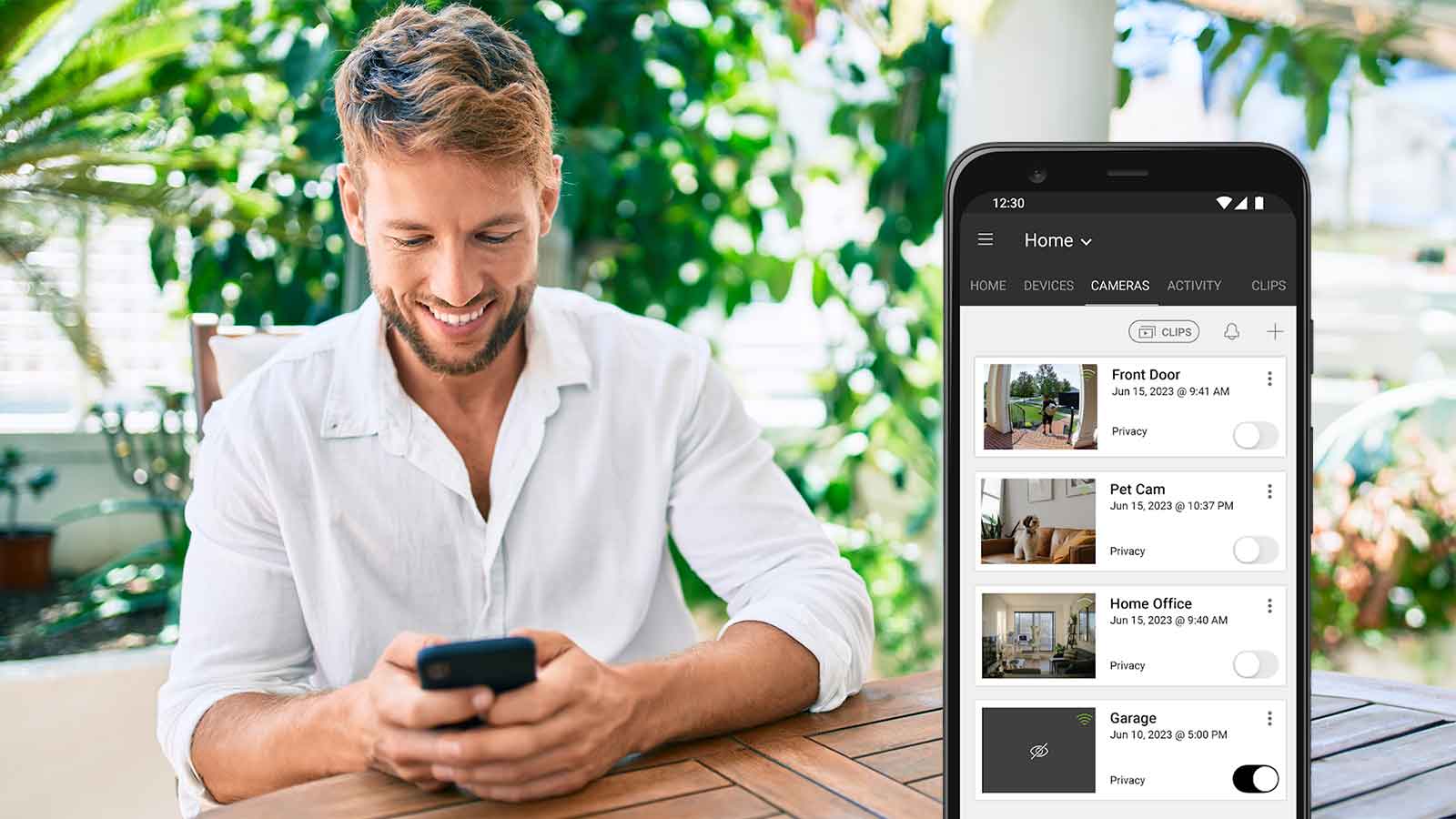
3. View Security Cameras and Video Doorbells
Check whether a package has arrived, see who’s approaching your front door, or review activity while you’re away. Supported cameras and video doorbells can provide live views, recorded clips, motion notifications, and two-way communication. If an alert arrives while you’re having lunch in Coconut Grove, you can view the relevant camera and decide whether anything needs your attention.
4. Control Smart Locks, Lights, Thermostats, and Garage Doors
Manage everyday tasks through connected devices in the same app. Unlock a smart lock for a trusted guest, adjust selected lights, or check and close an integrated garage door. For Miami homeowners, remote thermostat control also makes it convenient to adjust the air conditioning before returning home.
5. Simplify Everyday Routines With Smart Scenes
Smart Scenes bring several actions together so you don’t have to control each device individually. A “Good Night” scene could arm the appropriate security mode, lock connected doors, and adjust selected lights. A “Leaving Home” scene could coordinate door locks and thermostat settings, helping you follow a consistent routine with fewer steps.
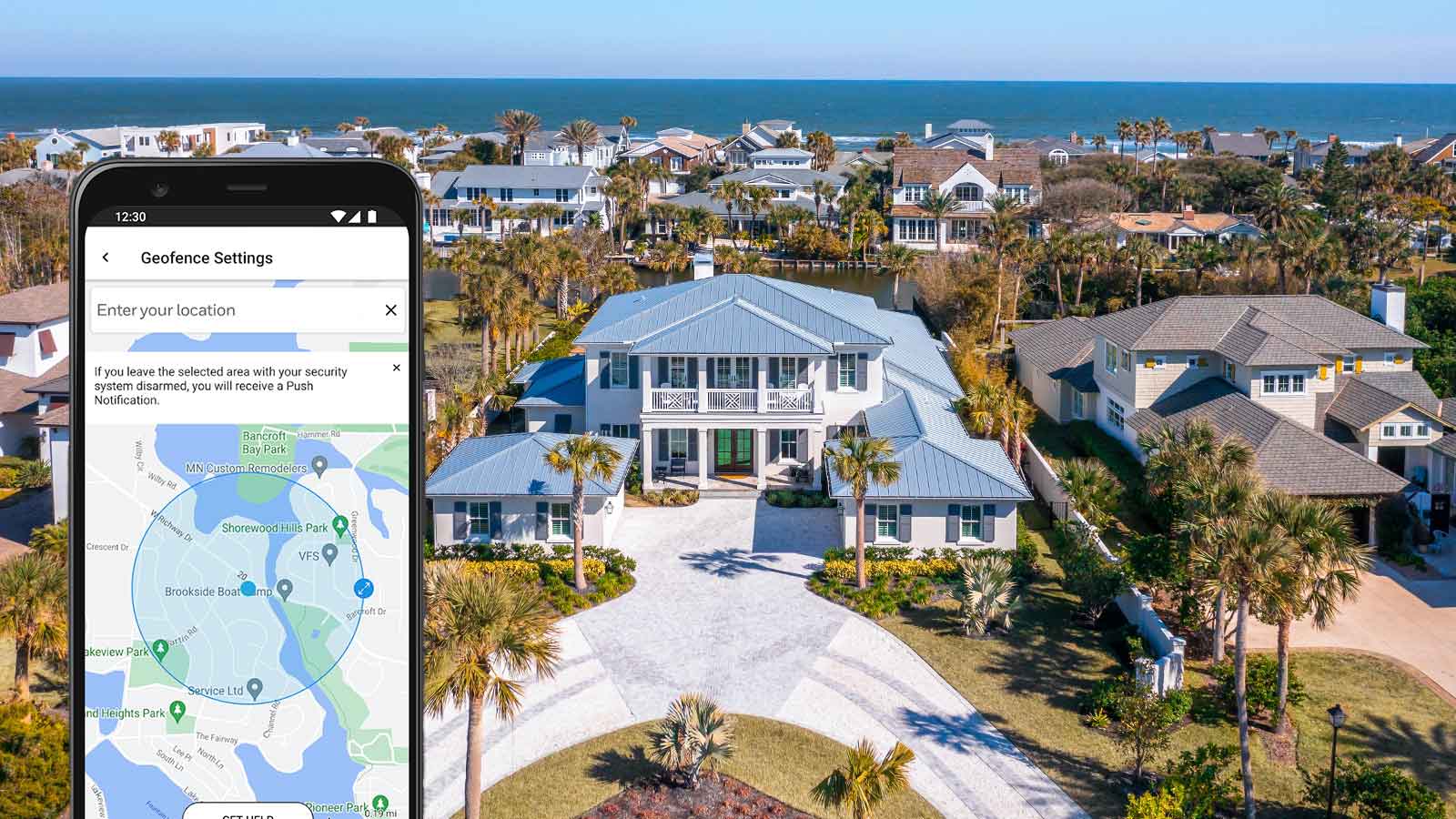
6. Get Geofencing Reminders When You Leave Home
When you’re rushing out the door, geofencing reminders can help you catch a missed step. Using your smartphone’s location services, Total Connect 2.0 can notify you if you leave a defined area around your home while the system is disarmed. You can then open the app and arm it remotely. This feature sends a reminder; it does not automatically arm your system.
7. Manage Security for Multiple Properties
If you have a primary residence in Miami and a second home elsewhere, you can access multiple enrolled locations through one compatible account. Switch between properties to review each system’s status and use its available controls, making it easier to stay connected when you travel.
Available features, arming modes, video storage, and scene options depend on your security panel, compatible equipment, configuration, and subscription. Each property requires proper setup and applicable services. Confirm compatibility with your security professional before adding devices.
Why Smart Home Security Matters in Miami
From busy schedules to seasonal travel and severe weather, life in South Florida creates practical reasons to stay connected to your property. Here’s where remote security access can make a difference.
Stay Connected During Work and Travel
Whether you’re commuting to Downtown Miami, spending a weekend on the water, or traveling for business, you can check on your home without interrupting your plans. Remote access is especially useful for families coordinating school schedules, visitors, and changing work hours.
Keep an Eye on Seasonal and Vacation Homes
When a property sits empty for weeks or months, problems can go unnoticed between visits. Cameras and compatible sensors can help you monitor selected activity and conditions through Total Connect 2.0. A water-leak alert, for example, could give you an opportunity to arrange help sooner. These tools add visibility between visits, while regular inspections and maintenance remain essential.
Plan for Hurricane Season and Power Outages
Miami’s hurricane season runs from June 1 through November 30, making backup power and communication options important parts of security planning. Ask your provider about battery backup, cellular communication, and environmental sensors suited to your property.
A functioning backup battery may support certain local alarm functions during an outage. However, remote control, notifications, video access, and monitoring communications may be interrupted if equipment loses power or internet and cellular services become unavailable. Your provider can explain your system’s backup capacity and limitations so you can account for them in your emergency plan.
How Total Connect 2.0 Fits Into Your Daily Routine
The biggest advantage of smart home security often becomes clear through the small things you no longer need to worry about.
Morning: Leaving for work
You’re heading out of your Kendall home when your schedule suddenly changes. Later, the Total Connect app reminds you that the alarm wasn’t armed. Instead of driving back, you check the system and arm it remotely.
Afternoon: Checking on the family
Your child returns home from school. A configured activity notification lets you know that a designated door has opened or the alarm has been disarmed.
Evening: Welcoming a visitor
You’re running late, but a trusted family member arrives at your property. With a compatible smart lock, you can grant access according to your household’s security procedures.
Night: Securing the home
Before going to bed, you activate a configured scene to manage compatible locks, lighting, and security settings.
One connected system helps simplify all four situations.
Total Connect 2.0 vs. Traditional Home Security Systems
Traditional alarm systems rely primarily on a physical keypad or control panel, while a Total Connect 2.0-enabled system adds the convenience of managing supported features through an app or website. Total Connect 2.0 does not replace the security system. It expands how you interact with it. Protection still depends on properly installed sensors, equipment, and an alarm panel. For Miami homeowners installing a new system or upgrading an existing one, the right setup brings together dependable equipment, appropriate monitoring services, and remote access that fits their daily needs.
What Do You Need to Use Total Connect 2.0?
To get started, you’ll need a compatible Resideo or Honeywell Home security system, the appropriate communication equipment, and an active Total Connect 2.0 Remote Services subscription. At Florida Burglary Control, we can evaluate your existing equipment or recommend a new setup based on the features you want. We’ll help activate your account, guide you through the app, and configure supported devices and notifications. Before completing setup, we’ll verify that remote controls, alerts, and authorized user access work as expected. If you’re upgrading an older system, we’ll determine which components can be reused and explain any necessary upgrades.
Is Total Connect 2.0 Secure?
Total Connect 2.0 provides account access controls and supports biometric login, such as fingerprint or facial recognition, on compatible devices. Protecting your account also requires good security habits: use a strong, unique password, keep your phone and app updated, and secure your home Wi-Fi network. Give authorized users individual access with appropriate permissions rather than sharing your administrator login, and remove access when it’s no longer needed.
Don’t Leave Your Home Security to Guesswork. Let’s Talk.
Total Connect 2.0 brings together the features covered in this guide, giving you a practical way to manage security and home automation as your needs change. The next step is determining which capabilities would be most useful for your household and what equipment is needed to support them.
At Florida Burglary Control, we start with your property and priorities. You may want better visibility while traveling, easier access for family members, or a simpler way to manage an older alarm system. We can evaluate your current setup, identify compatible equipment, and explain your installation and service options so you can make an informed decision.
Professional guidance also helps you understand what to expect, including available features, user permissions, and system limitations during power or connectivity interruptions. You’ll have a clearer picture of how your system works and how to use it confidently.
Contact Florida Burglary Control today to discuss your home, ask questions, and find out whether Total Connect 2.0 is the right fit.